LINE BK Communication channel
SMS
LINE BK SMS official sender name is “LINEBK” (with no space) only.

LINE BK has no policy for sending SMS with attached links except in cases where the customer has explicitly requested the information themselves.
The domain for LINE BK official email is @linebk.com only, for example, noreply@linebk.com.
For insurance product, the email domain @kasikornlinebroker.com is used for sending insurance documents to the email provided by customers during the insurance application process.
LINE BK has no policy for sending email with attached links.
LINE BK website
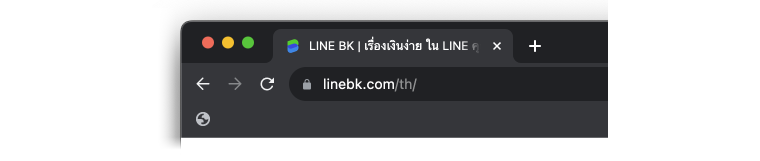
The official website of LINE BK is www.linebk.com (the URL must have https://), and the IP address bar displays a "lock" icon.
The Self-Service Portal website is self-service.linebk.com (the URL must begin with https://).
It allows you to request documents by yourself through the web page, or you can access it via the "Request Documents" menu under the "Support" section on the main LINE BK website.
The documents available for request in their most recent version are as follows:
- Billing statement
- Loan application result
- NCB First-time letter
- NCB Yearly letter
URL and short link for LINE BK
Short link to access LINE BK via LINE application

- LINE BK short link is in the format https://lin.ee/xxx (xxx will change based on the system).
Social media channels
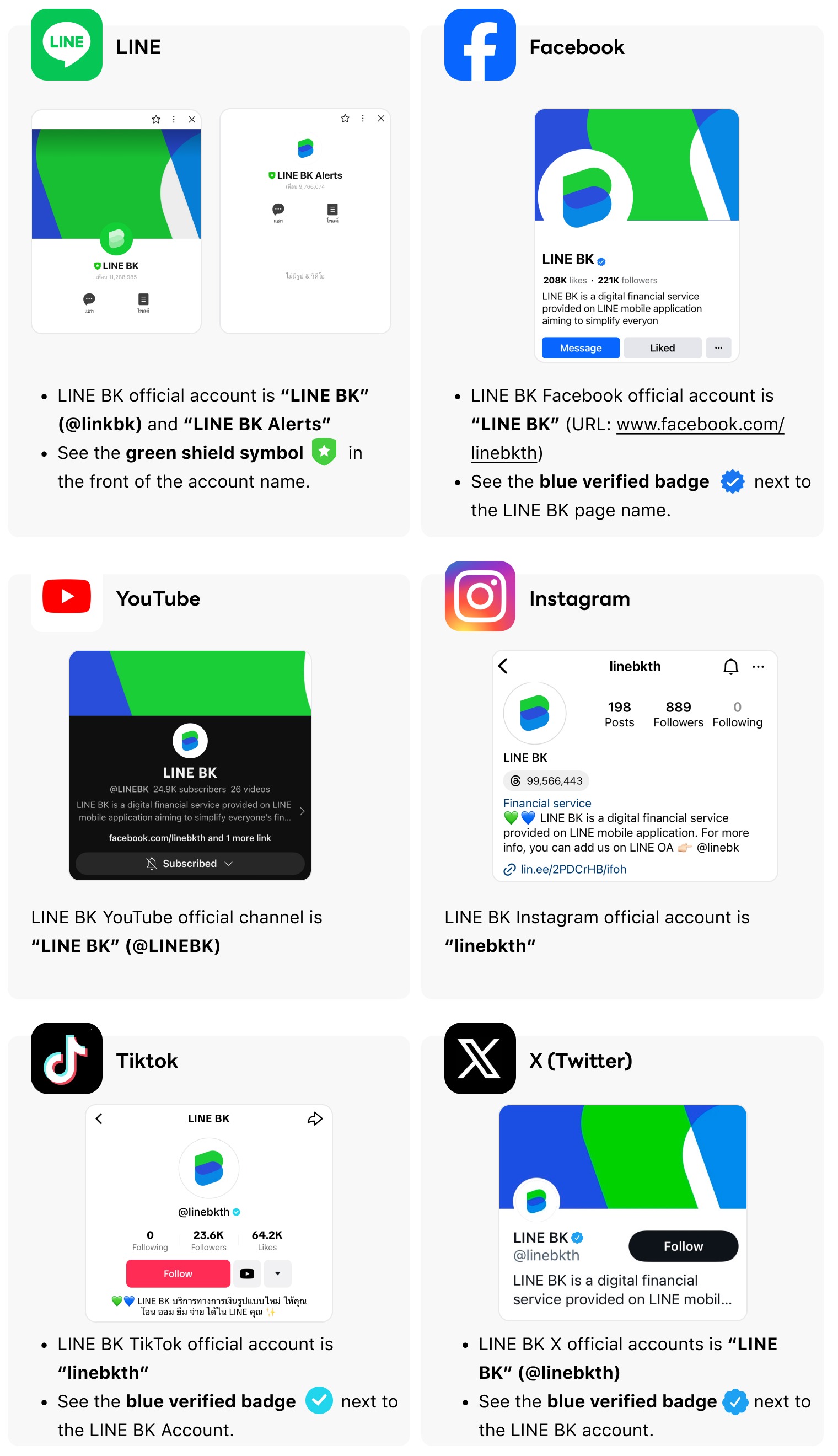
If you wish to recheck or reconfirm LINE BK communication channels, please contact LINE BK via LINE BK Official Account by going to the "Home" page in LINE application, tap "Add Friends" icon at the upper right corner on the screen, select "Search" and type @linkbk or select "QR code" and scan the QR code below to add LINE BK Official Account as LINE friend. Then, type @linebk in the chat to directly check information with LINE BK team.
